
Supabase vs Neon: Which One I Chose and Why
When I started planning my next project, I needed to choose a PostgreSQL database. Two names kept coming up: Supabase and Neon. After seeing both mentioned in YouTube tutorials, GitHub repositories, and developer discussions, I decided to spend some time comparing them before making a decision.
Here's what I learned and why I ultimately chose Supabase.
What Are They?
Both Supabase and Neon are built around PostgreSQL, but they solve different problems.
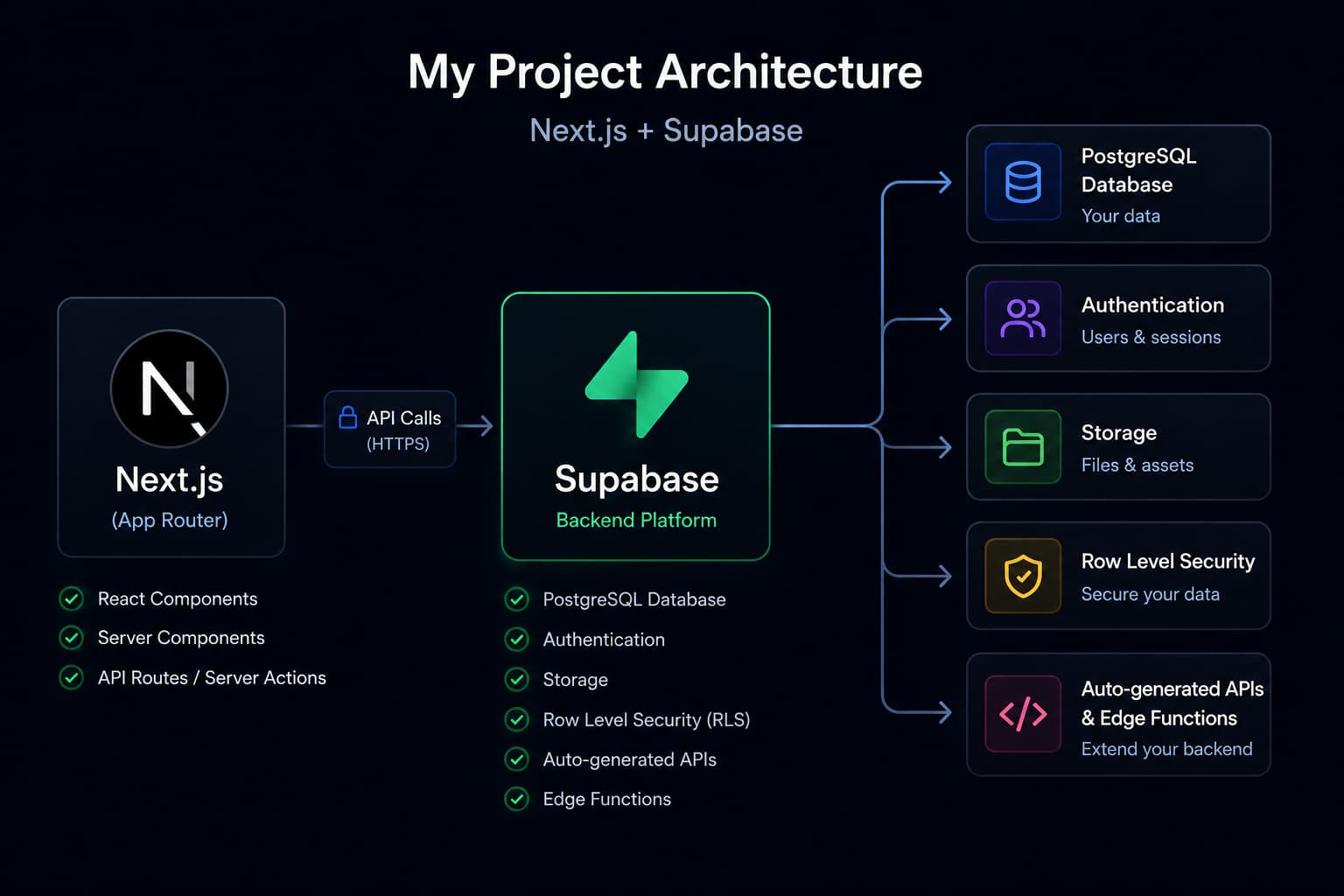
Supabase is an open-source backend platform built on PostgreSQL. In addition to a database, it provides authentication, file storage, Row Level Security (RLS), auto-generated APIs, Edge Functions, and a clean dashboard. It's designed to help developers build applications quickly without having to piece together multiple backend services.
Neon is a serverless PostgreSQL platform focused on providing a modern, scalable database experience. It offers features like database branching, autoscaling, and connection pooling, making it a great choice if all you need is a managed PostgreSQL database.
Why I Considered Neon
As I explored the modern Next.js ecosystem, I noticed Neon appearing in more tutorials and open-source projects. Database branching and its serverless architecture looked particularly interesting, and I seriously considered using it for my next project.
If I only needed a PostgreSQL database, Neon would have been an excellent option.
Why I Chose Supabase
After thinking about my project's requirements, I realized I needed more than just a database. Authentication, secure access to user data, and the possibility of using file storage in the future were all important to me.
Supabase already provides these features in a single platform, allowing me to focus on building my application instead of integrating multiple services. Since I was already familiar with the platform, I could also start developing immediately without spending time learning a new workflow.
Final Thoughts
Both Supabase and Neon are excellent tools, and I don't think one is objectively better than the other. The right choice depends on what you're building.
For my next project, Supabase simply fit my requirements better. It provides everything I need in one place, allowing me to spend less time managing infrastructure and more time building features.
One lesson I took away from this comparison is simple:
Don't choose a tool because it's popular. Choose the tool that best solves your problem.